
/
Sources
Editorial workflow · 6 of 39
What this guide covers
Register a site, discover endpoints and monitor health.
How to use it
Follow the page in order, verify the named screen or setting in PressAI, then use the related and next-guide links to continue the workflow.
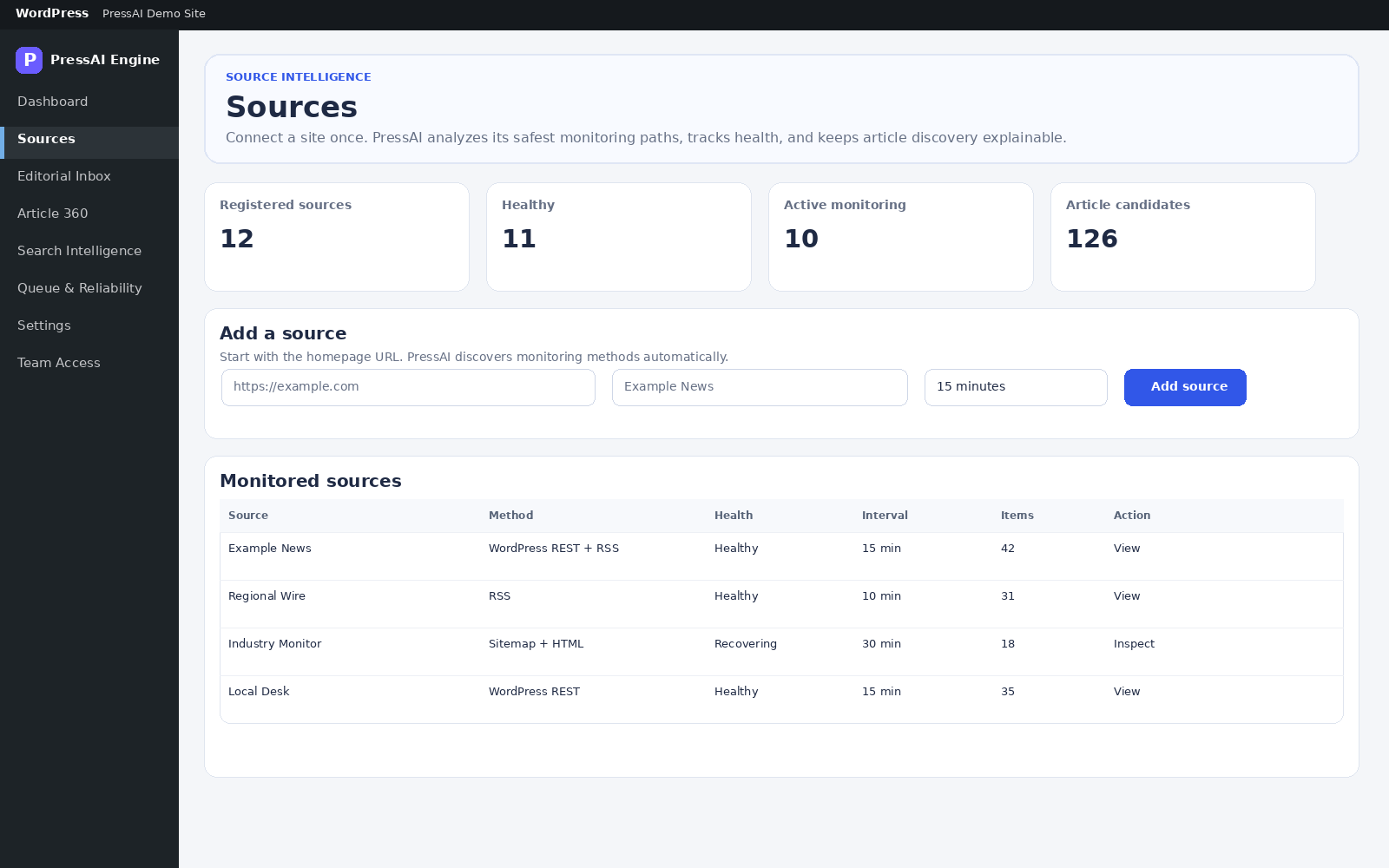
Path: PressAI → Sources.
Add a source
- Enter the public/canonical Website URL.
- Optionally enter Source name; blank allows auto-detection.
- Choose Monitoring interval: 5/10/15/30 minutes or 1 hour.
- Click Analyze & Add Source. This action does not publish content.
- Open the source workspace.
Workspace actions
| Field / action | Meaning |
|---|---|
| Run discovery | Discover and normalize article candidates now. |
| Extract latest 5 | Extract the newest candidates within the bound. |
| Pause / Resume source | Control monitoring. |
| Run adaptive recovery | Re-evaluate discovery/extraction strategies while outbound safety rules remain active. |
| Discovery confidence | Confidence in the current discovery path. |
| Preferred discovery / extraction | Current best methods based on evidence. |
Connect a source
- Open PressAI → Sources.
- Enter the public homepage or canonical source URL.
- Optionally add a source name; PressAI can detect it when left blank.
- Choose the monitoring interval.
- Save the source, then review discovered monitoring methods and health.
- Open the source detail when recovery or health needs attention.