
/
AI Connections
Start here · 5 of 39
What this guide covers
BYOK providers, models, provider order and timeout.
How to use it
Follow the page in order, verify the named screen or setting in PressAI, then use the related and next-guide links to continue the workflow.
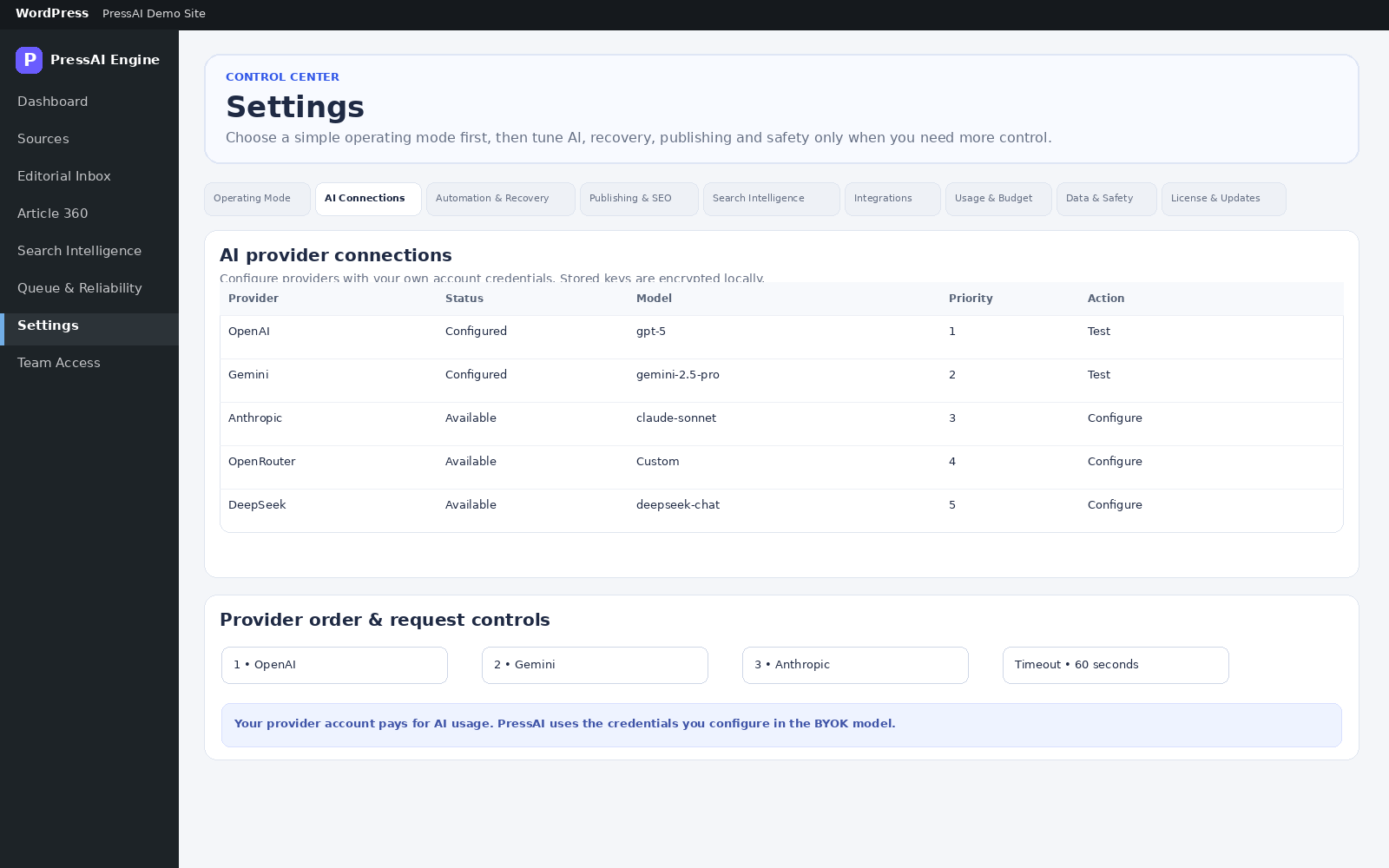
Path: PressAI → Settings → AI Connections. Providers: OpenAI, Gemini, OpenRouter, Anthropic and DeepSeek.
Configure
- Enter the provider API key. Leaving the field blank preserves an already stored key.
- Set the Default model.
- Set Global provider order from priority 1 to 5. Unconfigured providers are skipped.
- Set AI request timeout between 15 and 180 seconds per attempt.
- Save AI settings.
Fields
| Field / action | Meaning |
|---|---|
| API key | Customer-owned BYOK secret, stored encrypted locally. |
| Clear saved key | Deletes the stored provider secret on save. |
| Default model | Default model sent to the provider. |
| Global provider order | Failover order. |
| AI request timeout | Seconds per provider attempt. |